Property management software has an awkward gap in it. The well-known platforms were designed for operators running hundreds or thousands of units, with the module count, implementation timeline and pricing that implies. At the other end sit simple rent-collection apps that do one thing and leave the rest to your inbox.
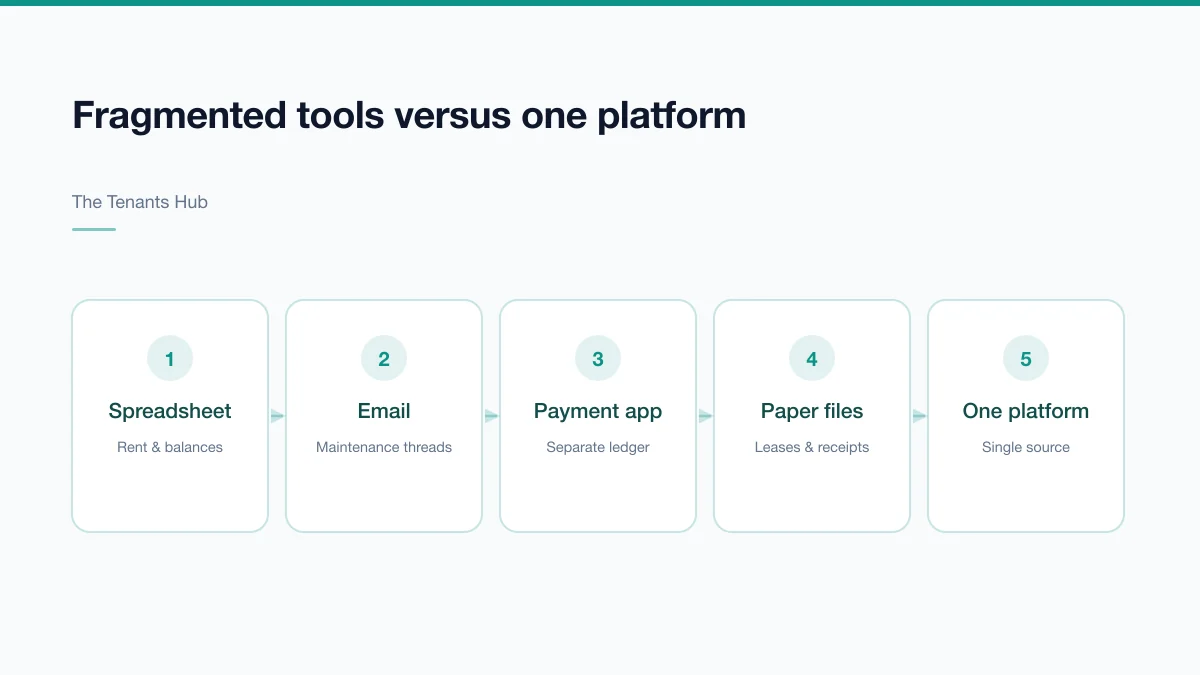
Landlords with somewhere between one and fifty units fall between the two, and usually end up running a spreadsheet plus a payment app plus a folder of PDFs plus a lot of remembering. This guide is about evaluating the alternative honestly — including the case for not buying anything yet.
The signals that you have outgrown spreadsheets
Unit count is a poor trigger. Administrative load is driven by moving parts, not doors. Watch for these instead:
- You cannot answer "who is behind on rent, and by how much?" without opening several files
- A lease expiry has surprised you, or nearly did
- A maintenance request has been forgotten between the tenant's message and the contractor's visit
- Tax season means reconstructing a year of transactions from bank statements
- You manage for other owners and assemble owner statements manually
- More than one person needs the same information and you are the bottleneck
- You are handling security deposits without a clean record of what is held against which lease
Two or three of these is normal friction. Five or more means the failure mode has shifted from inefficiency to risk — and the expensive failures in this business are missed deadlines, not wasted hours.
Spreadsheets do not fail at storing data. They fail when the same fact needs to be true in four places at once.
What actually matters in the evaluation
Feature lists are long and mostly undifferentiated. These are the capabilities that change day-to-day work for a smaller portfolio.
Lease and tenant records
One record per lease holding the term, rent, escalations, deposit, occupants and documents — with expiry dates that surface as alerts far enough ahead to act on. If renewals still depend on someone remembering, the software has not solved the problem.
Rent and payment tracking
A per-lease ledger showing charges, payments and running balance, with automatic late fees applied per your lease terms. Note the distinction between *tracking* payments and *collecting* them — some platforms only do the former, and if you want online payment you should check the processing fee and who bears it.
Maintenance and work orders
Requests should enter as tickets, not messages, and carry a status, an assignee, a cost and a history. This is the module that most often justifies the whole purchase, because an untracked repair request is both a habitability risk and a tenant-retention problem.
Tenant and vendor portals
A tenant portal cuts inbound questions substantially — tenants check their own balance, lease terms and request status. A vendor portal means contractors see assigned work without a phone call. Both are load-reducing rather than glamorous.
Reporting and owner statements
At minimum: a rent roll, income and expense by property, and arrears ageing. If you manage for others, owner statements and payouts should generate rather than be assembled.
Understanding what you will actually pay
| Model | How it works | Watch out for |
|---|---|---|
| Per unit / month | A fixed rate per unit | Cost scales linearly; check unit minimums |
| Flat tier | Banded by property or unit count | Cliff pricing when you cross a band |
| % of rent collected | A share of processed rent | Gets expensive fast at higher rents |
| Free + transaction fees | No subscription, per-payment fees | Who absorbs the fee — you or the tenant |
The subscription is rarely the whole cost. Ask specifically about:
- Payment processing — ACH and card rates, and whether fees can be passed to tenants in your state
- Tenant screening reports, usually billed per application
- E-signature volume, sometimes capped per month
- SMS and email notification overages
- Onboarding, migration or setup fees
- The cost of extra user seats for staff or owners
Questions worth asking before you commit
- Can I export everything? Leases, ledgers, documents, tenant records — in a usable format, on demand. If export is limited, you are locked in.
- Who owns the data? It should be unambiguously yours, with a defined return process on cancellation.
- What happens to my data if I cancel? Retention window, export grace period, deletion policy.
- How are deposits handled? Whether the system supports separate deposit tracking matters for deposit compliance and for trust accounting.
- Does it support my structure? Multiple owners, multiple entities, or properties in different states with different rules.
- What is genuinely automated? Ask for specifics. "Automated reminders" can mean scheduled emails or a manual button.
- What does support actually mean? Response times, channels, and whether real help is gated behind a higher tier.
- Is there an API? Not essential for most small portfolios, but it is the difference between a platform and a silo later on.
Planning the migration
Migration effort is consistently underestimated, and it is the reason plenty of subscriptions go unused after month two. For a portfolio under fifty units, budget one to two weeks of part-time work in this order:
- Export current records and reconcile them before importing anything — migrating bad data just relocates the problem
- Set up properties and units first, since everything else hangs off them
- Enter active leases with correct start and end dates, rent and escalations
- Enter opening balances and deposits held as of a clean cut-over date
- Upload lease documents and any condition reports
- Invite tenants to the portal last, once the data behind it is right
When the honest answer is "not yet"
If you have one or two units with settled long-term tenants, no employees, no other owners to report to and no plan to grow, a well-kept spreadsheet plus a separate bank account plus a shared folder is a legitimate system. Buying software will not improve much, and unused software is worse than a spreadsheet because it creates a second place the truth might live.
The calculation changes when a third party enters — an owner you report to, a partner who needs visibility, a contractor network to coordinate, or a lender who wants reporting on demand.
The Tenants Hub was built for exactly the middle of this range: portfolios large enough that coordination has become the problem, but not large enough to justify enterprise implementation. If that describes yours, the pricing page sets out the plans, and there is a free trial to test the migration before committing.